


Nuxt Content Starter
Nuxt Content starter for blogs and documentation with file-based content management.
| Framework | Nuxt.js |
| Use Case | Starter,Blog,Documentation |

Nuxt Content Starter
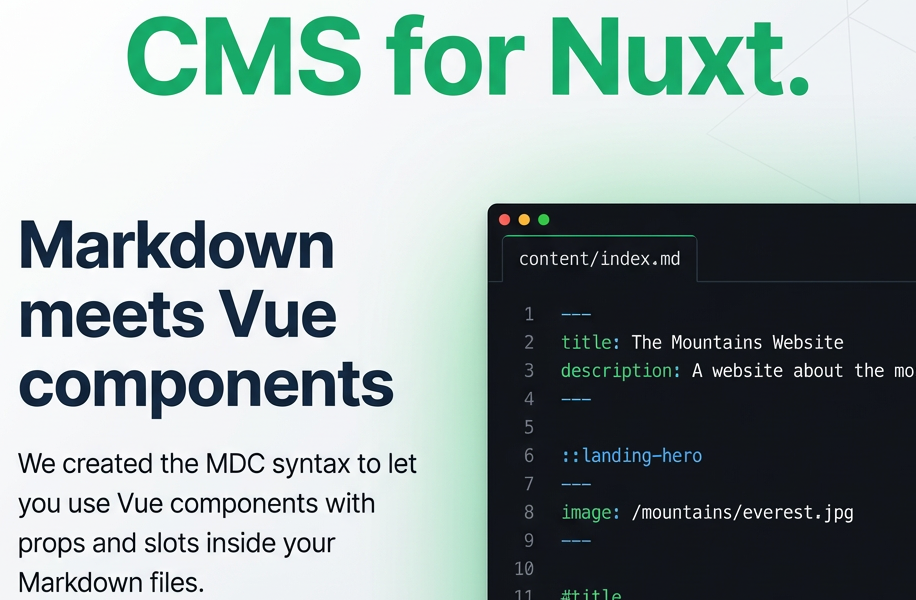
A modern, feature-rich starter template for building content-driven websites with Nuxt Content. This template provides a complete foundation for blogs, documentation sites, portfolios, and any content-focused web application.
✨ Features
- 📝 File-based CMS - Write content in Markdown, YAML, JSON, or CSV
- 📱 Mobile-First - Fully responsive design that works on all devices
- 🔍 SEO Optimized - Automatic meta tags and structured data
- 🚀 Performance - Built with Nuxt 4 for optimal performance
- 🔧 TypeScript Ready - Full TypeScript support out of the box
🛠 Tech Stack
- Nuxt 4 - The Intuitive Vue Framework
- Nuxt Content - Git-based Headless CMS
- Vue 3 - The Progressive JavaScript Framework
- TypeScript - JavaScript with syntax for types
🚀 Quick Start
Prerequisites
- Node.js 18+
- npm, pnpm, yarn, or bun
Installation
- Clone or download this template
- Install dependencies:
# npm (recommended for this project)
npm install

# pnpm
pnpm install

# yarn
yarn install

# bun
bun install
Development
Start the development server on http://localhost:3000:
# npm
npm run dev

# pnpm
pnpm dev

# yarn
yarn dev

# bun
bun run dev
📁 Project Structure
nuxt-content-starter/
├── app/
│   ├── app.vue              # Root component
│   └── pages/
│       ├── index.vue        # Homepage
│       └── [...slug].vue    # Dynamic content pages
├── content/
│   ├── about.md             # About page (Markdown)
│   ├── config.yaml          # Configuration example (YAML)
│   ├── products.json        # Products data (JSON)
│   └── statistics.csv       # Analytics data (CSV)
├── public/                  # Static assets
├── nuxt.config.ts          # Nuxt configuration
└── package.json            # Dependencies and scripts
✍️ Creating Content
Markdown Files
Create .md files in the content/ directory:
---
title: 'Your Article Title'
description: 'Article description for SEO'
date: '2025-01-13'
---

# Your Article Title

Your content goes here...
Data Files
The template supports multiple data formats:
- YAML (
.yaml) - Configuration and structured data - JSON (
.json) - API responses and complex data - CSV (
.csv) - Tabular data and statistics
All data files are automatically rendered with custom layouts.
🎨 Customization
Styling
The template uses scoped CSS with a design system inspired by Nuxt Content documentation. You can customize:
- Colors and typography in component styles
- Layout breakpoints for responsive design
- Component-specific styling in each
.vuefile
Content Types
Add new content types by:
- Creating files in the
content/directory - Updating the data file detection logic in
[...slug].vue - Adding custom rendering components as needed
🚀 Production
Build the application for production:
# npm
npm run build

# pnpm
pnpm build

# yarn
yarn build

# bun
bun run build
Preview production build locally:
# npm
npm run preview

# pnpm
pnpm preview

# yarn
yarn preview

# bun
bun run preview
🌐 Deployment
This template can be deployed to any hosting provider that supports Nuxt applications:
- Vercel - Zero-config deployment
- Netlify - Git-based deployment
- Cloudflare Pages - Edge deployment
- GitHub Pages - Static hosting
- Your own server - Node.js hosting
Check out the Nuxt deployment documentation for detailed instructions.
🤝 Contributing
Contributions are welcome! Please feel free to submit a Pull Request. For major changes, please open an issue first to discuss what you would like to change.
Development Guidelines
- Fork the project
- Create your feature branch (
git checkout -b feature/AmazingFeature) - Commit your changes (
git commit -m 'Add some AmazingFeature') - Push to the branch (
git push origin feature/AmazingFeature) - Open a Pull Request
📄 License
This project is licensed under the MIT License - see the LICENSE file for details.
🙏 Acknowledgments
- Nuxt Team for the amazing framework
- Nuxt Content Team for the content management system
- Vue.js Team for the reactive framework
Happy coding! 🚀
For more information, check out: