


Next.js App Router Demo Project
Next.js 15 App Router demo — layouts, file conventions, and routing patterns with interactive examples.

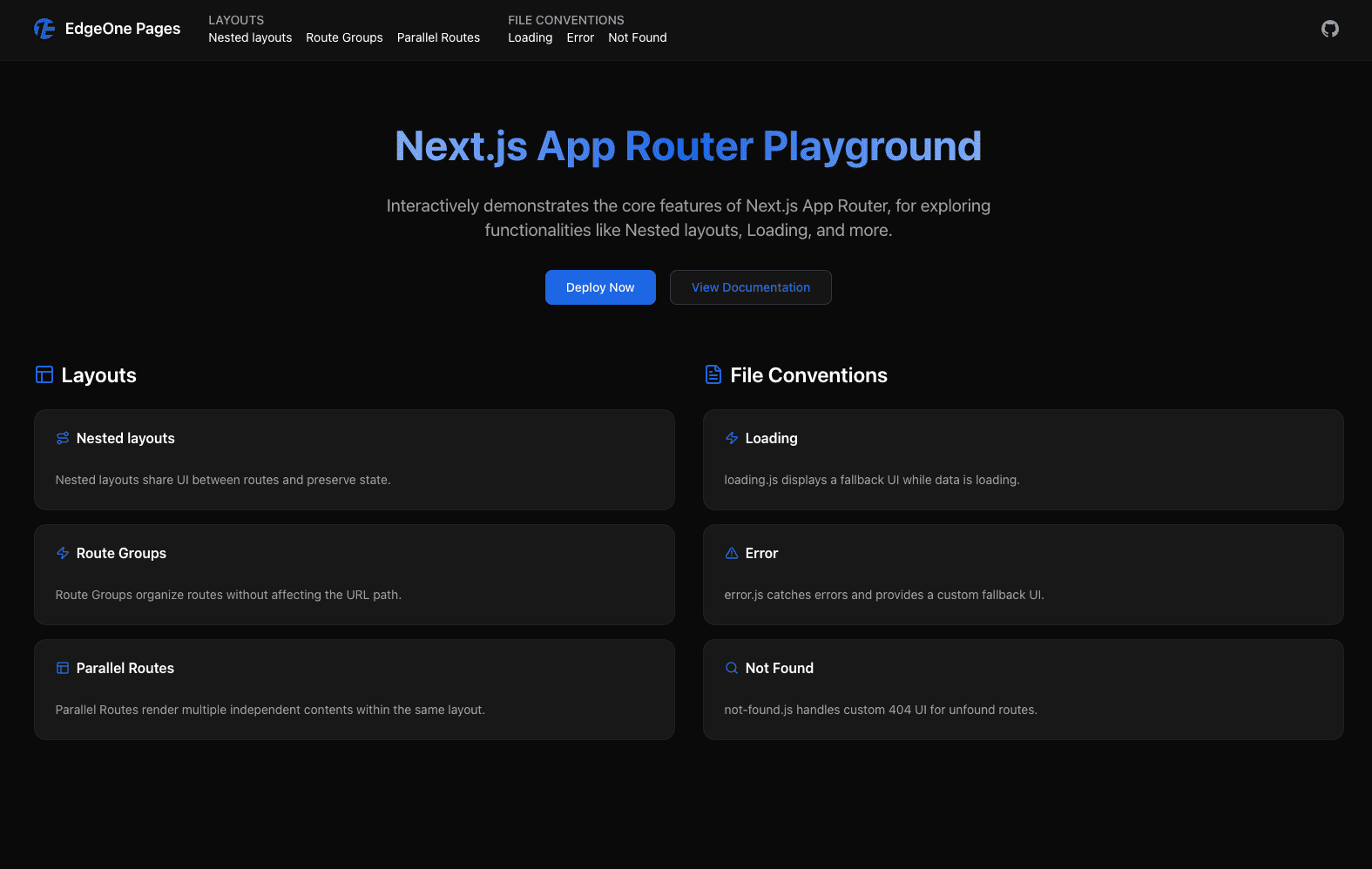
Next.js App Router Demo Project
An interactive demonstration project showcasing Next.js 15 App Router core features, including layout systems, file conventions, and routing functionality with complete examples.
🚀 Project Features
Core Features
- Nested Layouts - Nested layout system demonstration
- Route Groups - Route grouping functionality showcase
- Parallel Routes - Parallel routing feature implementation
- File Conventions - Complete file convention examples
loading.js- Loading state managementerror.js- Error boundary handlingnot-found.js- 404 page customization
Tech Stack
- Next.js 15.5.0 - Latest version of App Router
- TypeScript - Complete type support
- Tailwind CSS v4 - Modern styling system
- shadcn/ui - High-quality UI component library
- Lucide React - Beautiful icon library
📁 Project Structure
app-router-template/
├── src/
│   ├── app/
│   │   ├── globals.css              # Global styles and theme
│   │   ├── layout.tsx               # Root layout
│   │   ├── page.tsx                 # Home page
│   │   ├── components/
│   │   │   └── Header.tsx          # Shared navigation component
│   │   ├── layouts/                 # Layout system demonstration
│   │   │   ├── nested-layouts/     # Nested layouts
│   │   │   │   ├── layout.tsx      # Outer layout
│   │   │   │   ├── page.tsx        # Home page
│   │   │   │   ├── dashboard/      # Dashboard page
│   │   │   │   ├── settings/       # Settings page (with inner layout)
│   │   │   │   └── profile/        # Profile page
│   │   │   ├── route-groups/       # Route groups
│   │   │   │   ├── page.tsx        # Demo page
│   │   │   │   ├── (admin)/        # Admin group
│   │   │   │   ├── (user)/         # User group
│   │   │   │   └── (public)/       # Public group
│   │   │   └── parallel-routes/    # Parallel routes
│   │   │       ├── layout.tsx      # Parallel routes layout
│   │   │       ├── @messages/      # Messages slot
│   │   │       ├── @users/         # Users slot
│   │   │       └── @settings/      # Settings slot
│   │   └── file-conventions/       # File conventions demonstration
│   │       ├── loading/            # Loading states
│   │       │   ├── page.tsx        # Introduction page
│   │       │   ├── loading.js      # Loading component
│   │       │   └── demo/           # Demo page
│   │       ├── error/              # Error handling
│   │       │   ├── page.tsx        # Introduction page
│   │       │   ├── error.js        # Error boundary
│   │       │   └── demo/           # Demo page
│   │       └── not-found/          # 404 page
│   │           ├── page.tsx        # Introduction page
│   │           ├── not-found.js    # 404 component
│   │           └── demo/           # Demo page
│   └── components/
│       └── ui/                     # shadcn/ui components
├── public/                          # Static assets
├── package.json                     # Project dependencies
├── next.config.ts                   # Next.js configuration
├── tailwind.config.ts               # Tailwind configuration
└── tsconfig.json                    # TypeScript configuration
🎨 Design Theme
The project adopts a modern dark theme design:
- Primary Color:
#1c66e5(Blue) - Background:
#0a0a0a(Dark black) - Foreground:
#ffffff(White) - Card:
#1a1a1a(Dark gray) - Border:
rgba(255, 255, 255, 0.1)(Semi-transparent white)
🛠️ Quick Start
Requirements
- Node.js 18.17 or higher
- npm or yarn package manager
Install Dependencies
npm install
Start Development Server
edgeone pages dev
The project will start at http://localhost:8088
📚 Feature Demonstrations
1. Nested Layouts
Path: /layouts/nested-layouts
Demonstrates a true nested layout system:
- Outer layout provides shared navigation and title
- Inner layout (settings page) provides sidebar
- Layout state persists during page transitions
- Supports multi-level nesting and independent rendering
Features:
- Layout persistence
- Shared components
- Multi-level nesting
- Performance optimization
2. Route Groups
Path: /layouts/route-groups
Showcases route grouping functionality:
- Uses
(folderName)convention to create logical groups - Doesn't affect URL path structure
- Applies different layouts to different route segments
- Supports admin, user, public, and other groups
Group Structure:
(admin)- Admin backend pages(user)- User-related pages(public)- Public pages
3. Parallel Routes
Path: /layouts/parallel-routes
Implements true parallel routing features:
- Uses
@folderconvention to create slots - Renders multiple independent route segments simultaneously
- Each slot maintains independent state
- Supports conditional rendering and default slots
Slot Components:
@messages- Message list@users- User management@settings- Application settings@default- Default content
4. File Conventions
Loading UI (loading.js)
Path: /file-conventions/loading
- Automatically displays loading states
- Supports nesting and inheritance
- Doesn't affect SEO and performance
- Real demonstration of async component loading
Error UI (error.js)
Path: /file-conventions/error
- Automatically captures component errors
- Graceful degradation handling
- Provides error recovery mechanisms
- Prevents application crashes
Not Found UI (not-found.js)
Path: /file-conventions/not-found
- Custom 404 pages
- Supports
notFound()function calls - Maintains complete application structure
- User-friendly guidance
🔧 Technical Implementation
Layout System
- Outer Layout: Provides shared navigation and title
- Inner Layout: Provides additional layout for specific page segments
- Layout Inheritance: Supports multi-level nesting and state persistence
- Performance Optimization: Only re-renders changed parts
Route Management
- File System Routing: Automatic routing based on file structure
- Dynamic Routing: Supports parameters and query strings
- Middleware Support: Route-level logic processing
- SEO Optimization: Server-side rendering and metadata management
State Management
- Layout State: Persists during page transitions
- Component State: Managed using React Hooks
- Server State: Supports async data fetching
- Client State: Interactions and user input
📖 Learning Resources
Official Documentation
Related Technologies
🤝 Contributing
Welcome to submit Issues and Pull Requests to improve this project!
Development Standards
- Write code using TypeScript
- Follow ESLint rules
- Keep component structure clear
- Add appropriate comments and documentation
Commit Standards
- Use clear commit messages
- One commit for one thing
- Test to ensure functionality works
- Update related documentation
📄 License
This project is licensed under the MIT License - see the LICENSE file for details.