


Interactive AI Chatbot
AI chatbot with interactive UI components for structured bidirectional text and visual interactions.

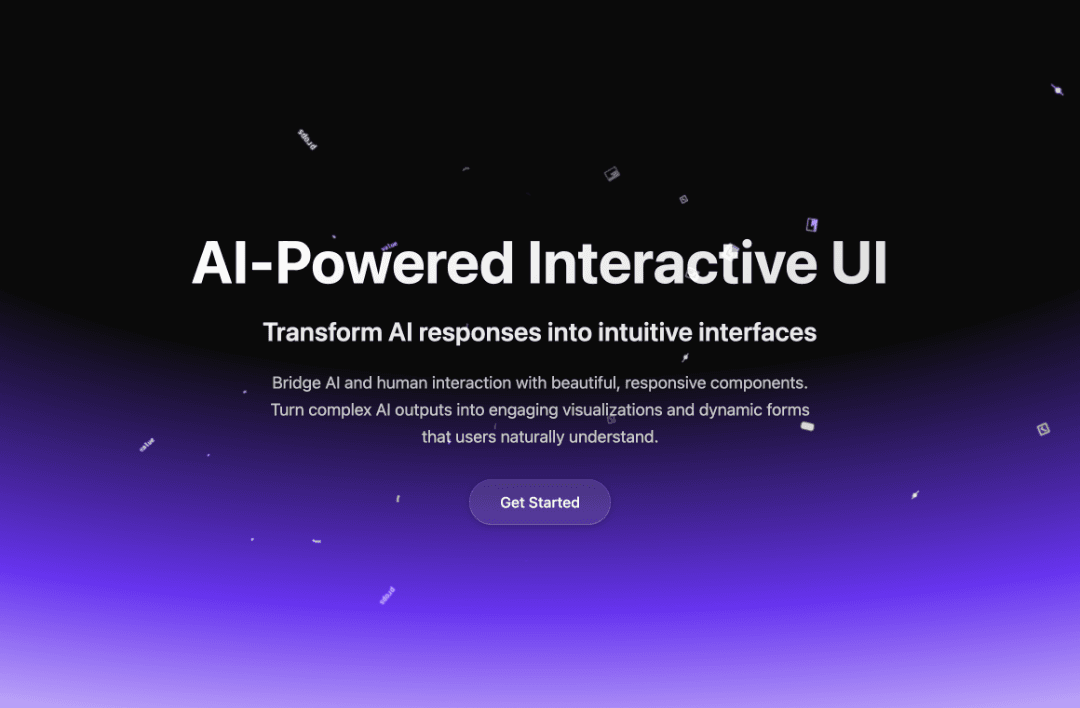
AI Interactive Chat UI
An AI conversational platform with interactive UI components. Enables structured bidirectional interactions through text and UI, dramatically improving efficiency.
Features
- ✅ Natural Language to UI: Describe what you want, and the AI generates interactive UI components
- ✅ Streaming AI Responses: Real-time streaming responses for instant feedback
- ✅ Component-Based Architecture: Rich set of UI components (cards, buttons, forms, lists, charts, etc.)
- ✅ Modern Design: Glassmorphism effects with purple theme and dark background
- ✅ Responsive Layout: Fully responsive design that works on all devices
- ✅ Type-Safe: Built with TypeScript for better developer experience
Quick Start
1. Install Dependencies
npm install
2. Configure Environment Variables
Create a .env or .env.local file in the root directory:
DEEPSEEK_API_KEY=your_api_key_here
Get your API key at DeepSeek Platform. For EdgeOne Pages deployment, set DEEPSEEK_API_KEY in the EdgeOne Console under Environment Variables.
3. Start Development Server
npm run dev
Visit http://localhost:4321
4. Build for Production
npm run build
npm run preview
Project Structure
├── src/
│   ├── components/
│   │   ├── chat/          # Chat UI components (React)
│   │   └── ...            # Other Astro components
│   ├── lib/
│   │   ├── a2ui/          # UI renderer and component factory
│   │   └── a2ui-renderer.ts
│   ├── pages/
│   │   ├── api/
│   │   │   └── chat.ts    # AI API endpoint
│   │   ├── index.astro    # Landing page
│   │   └── chat.astro     # Chat interface
│   └── styles/
│       ├── a2ui.css       # UI component styles
│       └── chat.css       # Chat page styles
└── package.json
How It Works
- User Input: User types a natural language request (e.g., "Show me a list of top websites")
- AI Processing: The request is sent to DeepSeek API with structured output constraints
- UI Generation: AI returns a JSON structure describing UI components
- Rendering: The renderer parses the JSON and creates interactive React components
- Interaction: Users can interact with generated components (buttons, forms, etc.)
- Action Handling: User actions are sent back to AI as structured messages for further processing
Supported Components
- Basic: Text, Image, Button, Divider
- Layout: Row, Column, List, Card
- Form: TextField, Checkbox
- Data: Chart, Progress, Badge, Statistic
- Media: Video, Audio, Gallery
- Advanced: Calendar, Timeline, Tree, Carousel
Technology Stack
- Framework: Astro 4.x (SSR mode)
- UI Library: React 19
- Language: TypeScript
- AI: DeepSeek API
- Styling: CSS with glassmorphism effects
Development
Adding New Components
- Create component factory function in
src/lib/a2ui/components/ - Add component styles in
src/styles/a2ui.css - Register component in
src/lib/a2ui/component-factory.ts
Customizing Styles
Modify src/styles/a2ui.css to customize component appearance. The design uses:
- Glassmorphism effects (backdrop-filter, transparency)
- Purple color scheme (#6432e6, #e62e8b)
- Dark background (#0a0a0a)
License
MIT
Acknowledgments
This project is inspired by the A2UI protocol specification for AI-generated user interfaces. The implementation follows a similar approach to structured UI generation through natural language processing.