


Back to Templates
Dify Frontend Starter
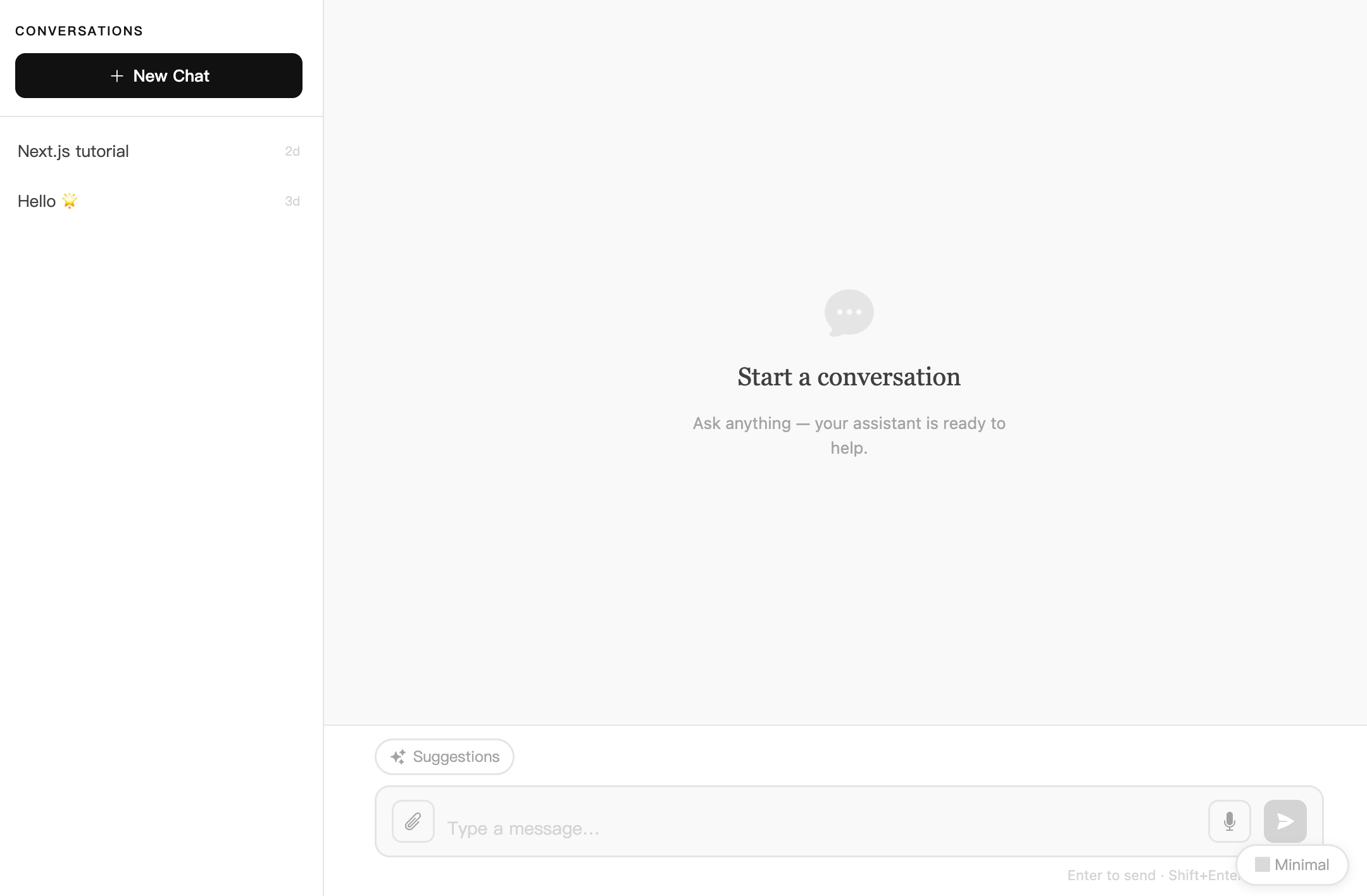
A universal web frontend built on the Dify API. Wrap any Dify application — text generation, workflow, chat, or Agent — into a deployable Web App with a single click.

webapp-text-generator
A universal web frontend built on the Dify API. Wrap any Dify application — text generation, workflow, chat, or Agent — into a deployable Web App with a single click.
Features
- Adaptive to four app modes — Automatically detects the Dify app type; no manual configuration needed
completion— Single-turn text generationworkflow— Multi-step workflow with node tracing panelchat— Multi-turn conversation with conversation history sidebar
- Streaming output — SSE real-time rendering of assistant replies with typewriter effect
- Multimodal file upload — Supports images, PDF, Word, Excel, CSV, TXT, and Markdown; up to 5 files at once
- Voice interaction — Speech-to-text input (STT) and text-to-speech playback (TTS), following the Dify app toggle
- Suggested questions — Automatically displays Dify-configured follow-up questions after a reply
- Message feedback — Like / dislike, feedback is sent to the Dify backend
- Batch run — Upload CSV for batch processing, export results as CSV
- Multiple themes — Warm / Dark / Cool / Minimal, persisted in localStorage
- Internationalization — Chinese / English switch, auto-set based on the Dify app's
default_language - Workflow node tracing — Expandable / collapsible node execution details including duration and token usage
Tech Stack
| Layer | Technology |
|---|---|
| Framework | Next.js 16 (App Router) |
| UI | React 19 + Tailwind CSS 3 |
| Language | TypeScript 5 |
| API Client | dify-client 2 |
| Markdown Rendering | react-markdown + remark-gfm + KaTeX |
| Code Editor | Monaco Editor |
| Internationalization | i18next + react-i18next |
| Utilities | ahooks · immer · uuid · js-cookie |
Getting Started
1. Clone the project
git clone https://github.com/your-org/ai-customer-service.git
cd ai-customer-service
npm install
2. Configure environment variables
Create a .env file in the project root and fill in your Dify app information:
# Your Dify app API Key (found in Dify Console → App → API Access)
APP_KEY=app-xxxxxxxxxxxxxxxxxxxxxxxxxxxxxxxx

# Dify API URL (change to your instance URL if self-hosted)
API_URL=https://api.dify.ai/v1

# Optional: force a specific app type; leave blank for auto-detection
# Valid values: chat | agent | workflow | completion
NEXT_PUBLIC_APP_TYPE=
3. Start the development server
npm run dev
Visit http://localhost:3000 to see the result.
4. Build for production
npm run build
npm run start
Setting NEXT_PUBLIC_APP_TYPE skips auto-detection and saves one network request — recommended for production.
Project Structure
app/
├── api/                       # Next.js Route Handlers (server-side Dify API proxy)
├── components/
│   ├── index.tsx              # Root component: app type detection + theme switching
│   ├── chat-generation/       # Chat / Agent mode main UI
│   ├── completion/            # Completion / Workflow mode main UI
│   ├── conversation-sidebar/  # Conversation list sidebar
│   ├── result/                # Output display (incl. workflow node tracing)
│   ├── run-once/              # Single run form
│   ├── run-batch/             # Batch run (CSV)
│   └── base/                  # Shared UI components
├── page.tsx                   # Page entry
config/
└── index.ts                   # Global configuration & environment variable loading
types/
└── app.ts                     # Global TypeScript type definitions
service/
└── index.ts                   # Service layer (wraps all Dify API calls)
utils/
└── resolve-app-type.ts        # App type detection logic
i18n/                          # Internationalization config & language packs
Build & Deploy
# Production build
npm run build

# Local preview
npm start
Development
npm run dev          # Dev server (Turbopack)
npm run dev:webpack  # Dev server (Webpack)
npm run lint         # ESLint check
npm run fix          # ESLint auto-fix
On commit, lint-staged automatically runs ESLint fixes on staged .ts/.tsx files, managed by Husky Git hooks.
License
MIT © 2025