Back to Templates

Vibe Coding Agent

A sandbox-based web development agent template for writing, previewing, validating, and iterating on modern web apps.

View Demo
FrameworkReact.js
Use CaseAgents,AI
A sandbox-based web development agent template for writing, previewing, validating, and iterating on modern web apps.

Web Dev Agent

A sandbox-based web development agent built with the Claude Agent SDK on EdgeOne Makers.

Framework: Claude Agent SDK · Category: Coding · Language: TypeScript

Deploy to EdgeOne Makers

Overview

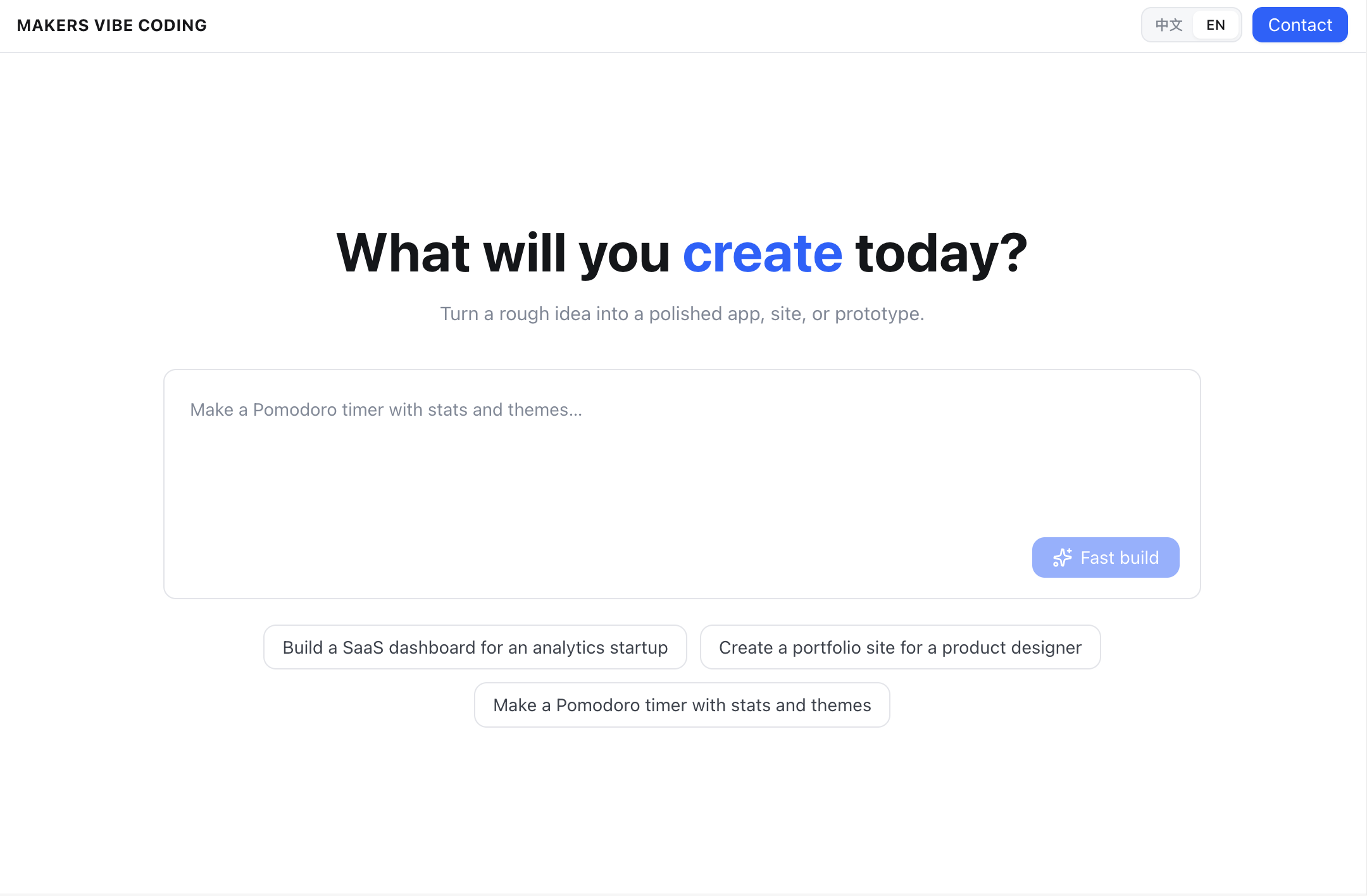
Web Dev Agent turns natural-language requests into runnable web projects. For each conversation, it prepares an isolated temporary sandbox workspace where it creates or edits project files, installs dependencies, publishes a live preview, and feeds verification results back into the agent loop. Use it for coding-style Makers templates where users need a generated app, a visible preview, and a file browser in one workflow.

  • Temporary sandbox workspace — creates and edits project code inside the current conversation's temporary sandbox
  • Multi-stack generation — creates or updates Next.js, Vite/React, static, Node service, Flask/FastAPI, and similar lightweight web apps
  • Claude Agent SDK loop — runs the model with EdgeOne sandbox MCP tools and a restricted tool set
  • Live preview — starts the app inside the temporary sandbox and returns a runtime-generated preview URL
  • Verification feedback — runs build or Python compile checks and attempts one automatic repair pass when verification fails

Environment Variables

VariableRequiredDescription
AI_GATEWAY_API_KEYYesModel gateway API key. Use your Makers Models API Key, or any OpenAI-compatible provider key.
AI_GATEWAY_BASE_URLYesGateway base URL. For Makers Models, use https://ai-gateway.edgeone.link/v1.
AI_GATEWAY_MODELNoModel ID. Defaults to @makers/minimax-m2.7 (a built-in Makers model).
WEB_DEV_AGENT_DEBUGNoSet to true or 1 to enable redacted server-side debug logs. Defaults to off.

This template follows the OpenAI-compatible standard — point these at Makers Models or any compatible provider.

How to get AI_GATEWAY_API_KEY

  1. Open the Makers Console.
  2. Sign in and enable Makers.
  3. Go to Makers → Models → API Key and create a key.
  4. Copy it into AI_GATEWAY_API_KEY.

Built-in models are free and rate-limited, which makes them suitable for validation. For production, bind your own provider key (BYOK) in the console.

Provider fallbacks

The agent prefers AI_GATEWAY_* variables. It also accepts Anthropic-compatible and DeepSeek-compatible fallback variables when needed:

VariableRequiredDescription
ANTHROPIC_API_KEYNoAnthropic-compatible API key fallback.
ANTHROPIC_AUTH_TOKENNoAnthropic-compatible auth token fallback.
ANTHROPIC_MODELNoAnthropic-compatible model fallback.
ANTHROPIC_BASE_URLNoAnthropic-compatible base URL fallback.
ANTHROPIC_CUSTOM_HEADERSNoExtra headers passed to the Anthropic SDK.
DEEPSEEK_API_KEYNoDeepSeek-compatible API key fallback.
DEEPSEEK_MODELNoDeepSeek-compatible model fallback.
DEEPSEEK_BASE_URLNoDeepSeek-compatible base URL fallback.
CLAUDE_CODE_EXECUTABLE_PATHNoOptional path to a custom Claude Code executable.

Local Development

Prerequisites: Node.js, npm

npm install
cp .env.example .env
edgeone makers dev

Open http://localhost:8088/agent-metrics for the local observability panel.

Project Structure

web-dev-agent/
├── app/                    # Next.js frontend UI
│   ├── layout.tsx          # App metadata and root layout
│   ├── page.tsx            # Chat, progress, preview, and file browser UI
│   └── globals.css         # Global styles
├── agents/                 # EdgeOne Makers agent routes and pipeline
│   ├── chat.ts             # /chat route
│   ├── file.ts             # /file route
│   ├── _agent.ts           # Claude Agent SDK integration
│   ├── _constants.ts       # Runtime constants
│   ├── _memory.ts          # Conversation history and project state
│   ├── _pipelines.ts       # Chat and file-read pipelines
│   ├── _project.ts         # Sandbox project, preview, and verification helpers
│   ├── _types.ts           # Shared TypeScript types
│   ├── tools/              # Custom sandbox MCP tools
│   └── utils/              # Path, text, and build-error helpers
├── edgeone.json            # Agent runtime configuration
├── next.config.ts          # Next.js configuration for the template app
├── package.json            # Scripts and dependencies
└── tsconfig.json           # TypeScript configuration

Files prefixed with _ are private modules — not exposed as public routes by EdgeOne.

How It Works

The agent runs in session mode under agents/. Requests with the same conversation_id are routed to the same runtime instance and reuse the same temporary project workspace for the sandbox lifetime.

  1. Request — the frontend calls /chat with a message and the Makers-Conversation-Id header. A new request from the home view can also set resetProject: true to recreate the project workspace.
  2. State restore — the chat pipeline reads conversation history from context.store and loads metadata for the current temporary sandbox project.
  3. LLM and tool loop — the Claude Agent SDK runs with the edgeone-sandbox MCP server, permissionMode: 'dontAsk', and sandbox-only tools. The agent must call ensure_project_scaffold before reading or writing project files.
  4. Project editing — generated source files are written through write_project_files or sandbox file tools. Commands and dependency installation run inside the sandbox.
  5. Preview publishpublish_preview starts the app on internal port 3000, waits for the preview entry to become ready, and returns a preview URL that is valid only for the current temporary sandbox lifetime.
  6. Verification — the runtime runs npm run build when a Node project has a build script, or python -m compileall . when Python files are present. If verification fails after a successful agent run, the pipeline attempts one auto-fix pass.
  7. Response stream — the frontend receives status events, logs, tool calls, tool results, file tree updates, the preview URL, build status, and the final assistant reply as newline-delimited JSON.

The file route is /file?path=<relative-path> and uses the same conversation context to read text files from the temporary sandbox project. Sandbox credentials are provided by the runtime; no local sandbox credentials are required. The sandbox and generated code are temporary, and their lifetime is controlled by agents.sandbox.timeout in edgeone.json, currently set to 1800 seconds.

Resources

License

MIT