


LangGraph Starter[python]
An AI quiz challenge app where AI generates questions and users answer to clear levels, built with LangGraph.

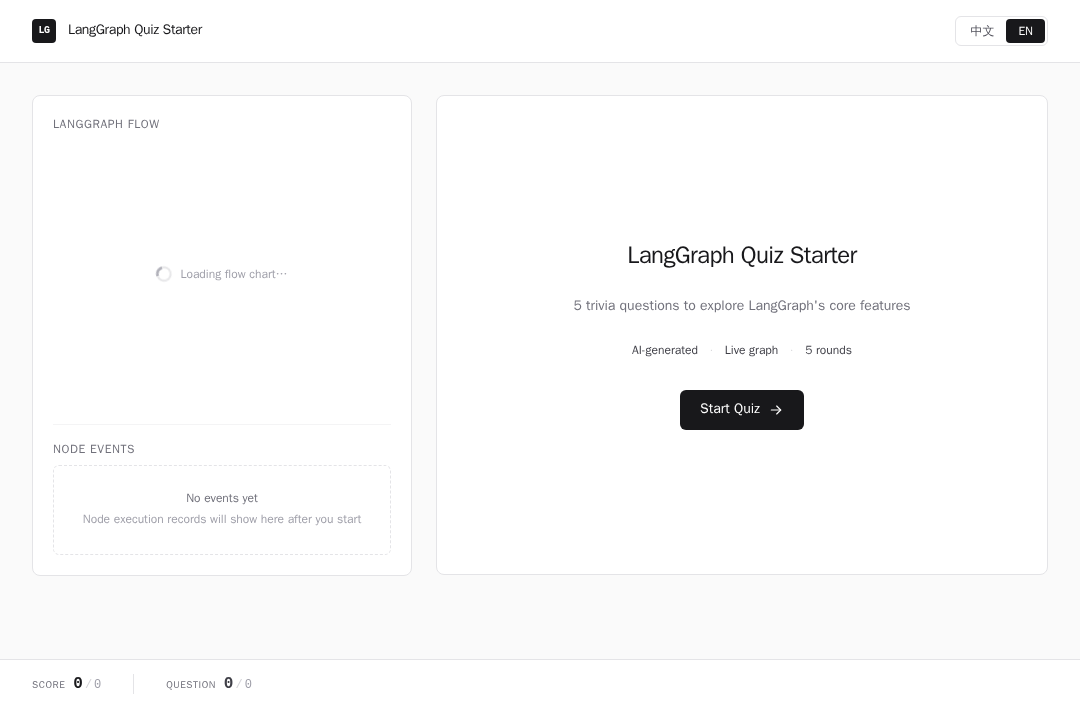
LangGraph Quiz Agent (Python)
An interactive quiz agent built with LangGraph on EdgeOne Makers — generates trivia questions, evaluates answers, gives hints, and tracks score across a multi-turn conversation.
Framework: LangGraph · Category: Quick Start · Language: Python

Overview
LangGraph Quiz Agent runs an interactive trivia game as a stateful graph. The LLM generates multiple-choice questions, the user picks an answer, and the graph evaluates correctness — giving a hint on the first wrong attempt before revealing the answer. Score and progress are tracked across the session.
- Stateful quiz flow — a LangGraph graph manages the full question lifecycle: generate → await → evaluate → hint/finalize → progress
- Human-in-the-loop — uses
interrupt()to pause the graph while waiting for the user's answer - Adaptive hints — on a wrong first attempt, the LLM provides a nudge without revealing the answer
- Bilingual — questions and UI support both Chinese and English
- Visual graph — the frontend renders the LangGraph state machine as a Mermaid flowchart with active node highlighting
Environment Variables
| Variable | Required | Description |
|---|---|---|
AI_GATEWAY_API_KEY | Yes | Model gateway API key. Use your Makers Models API Key, or any OpenAI-compatible provider key. |
AI_GATEWAY_BASE_URL | Yes | Gateway base URL. For Makers Models, use https://ai-gateway.edgeone.link/v1. |
AI_GATEWAY_MODEL | No | Model ID. Defaults to @makers/hy3-preview (a free built-in model). |
This template follows the OpenAI-compatible standard — you can point these variables at Makers Models or any other compatible gateway / provider.
How to get AI_GATEWAY_API_KEY
- Open the Makers Console.
- Sign in and enable Makers.
- Go to Makers → Models → API Key and create a key.
- Copy it into
AI_GATEWAY_API_KEY(setAI_GATEWAY_BASE_URLtohttps://ai-gateway.edgeone.link/v1).
Built-in models (@makers/deepseek-v4-flash, @makers/hy3-preview, @makers/minimax-m2.7) are free and rate-limited — great for prototyping. For production, bind your own provider key (BYOK) in the console.
Local Development
Prerequisites: Node.js, npm, Python 3.11+
npm install
cp .env.example .env
edgeone makers dev
The CLI automatically installs Python dependencies from
requirements.txt.
Open http://localhost:8080/agent-metrics for the local observability panel.
Project Structure
langgraph-quiz-python/
├── agents/
│   ├── quiz.py            # /quiz — main quiz endpoint (SSE streaming)
│   ├── stop.py            # /stop — abort an active quiz run
│   └── _lib/
│       ├── graph.py       # LangGraph state graph definition
│       ├── state.py       # Quiz state (TypedDict)
│       ├── nodes.py       # Graph nodes: generate, evaluate, hint, finalize, progress
│       ├── prompts.py     # LLM prompt templates
│       └── logger.py      # Shared logger factory
├── src/
│   ├── components/        # React UI (QuizCard, FlowChart, ScoreBoard, etc.)
│   ├── hooks/             # useQuiz hook (SSE consumption + state)
│   └── ...
├── requirements.txt       # Python dependencies
├── edgeone.json           # Agent runtime configuration
└── package.json
Files prefixed with
_are private modules — not exposed as public routes by EdgeOne.
How It Works
The agent runs as a session-mode runtime: requests sharing the same conversation_id are routed to the same instance with persistent state.
Workflow
- Start (
action: "start") — initializes the graph with language and question count, then streams the first question. - Generate Question — LLM produces a multiple-choice question via structured output (tool call).
- Await Answer — graph pauses via
interrupt(); the frontend receives awaitingSSE event. - Answer (
action: "answer") — user submits A/B/C/D; graph resumes and evaluates correctness. - Evaluate — if correct, finalize; if wrong on first attempt, give a hint then await again; if wrong on second attempt, reveal the answer.
- Progress — updates score, emits progress event, then either loops to the next question or ends.
- Complete — after all questions, emits final score and statistics.
Key Mechanisms
- LangGraph StateGraph: nodes and conditional edges define the quiz flow;
interrupt()enables human-in-the-loop. - Structured output: question generation uses
bind_toolswith a schema to ensure consistent 4-option format. - Custom stream events: uses
get_stream_writer()to emit typed events (question,result,hint_done,feedback,progress). - Checkpointer: conversation state is persisted via
context.store.langgraph_checkpointer;resumeaction restores mid-quiz sessions.
Routes
| Route | Method | Description |
|---|---|---|
/quiz | POST | Main quiz endpoint — actions: start, answer, resume, graph |
/stop | POST | Abort an active quiz run |
The conversation_id is passed via the makers-conversation-id request header.
Resources
License
MIT