


CSV Analyzer Agent
An AI-powered CSV analysis starter built with the Claude Agent SDK. Upload CSV files to generate data profiles, charts, and insights.

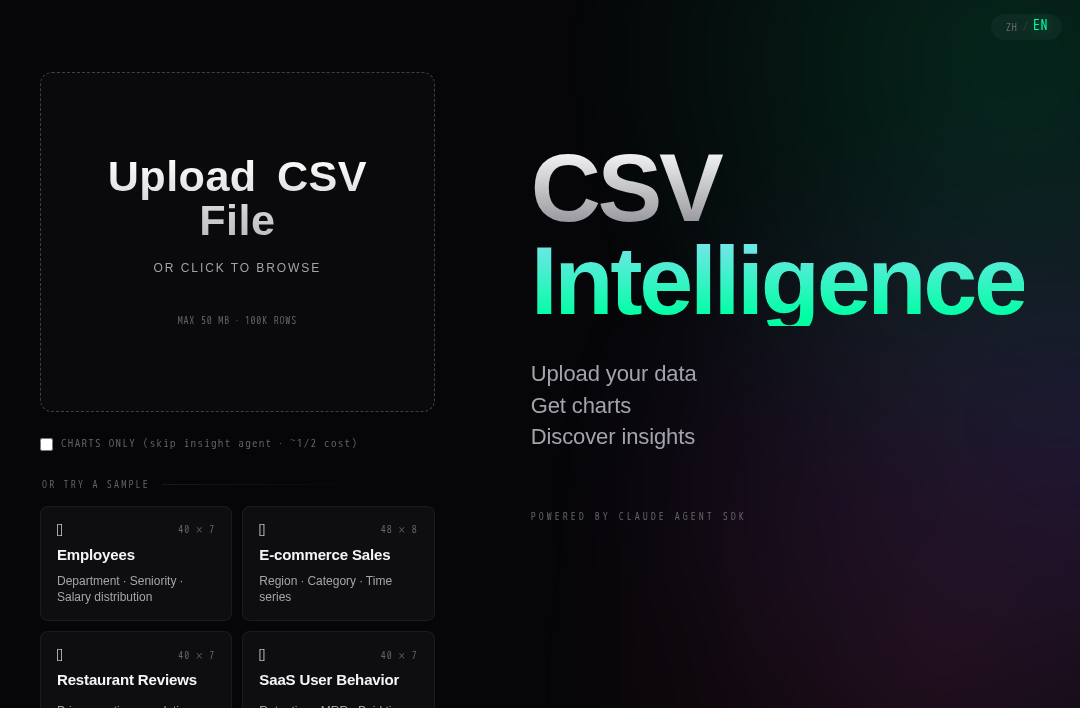
CSV Analyze
A two-agent CSV analysis app on EdgeOne Makers — uploads a CSV, generates Vega-Lite charts, and writes data-driven insights, all streamed back over SSE. Built on the Claude Agent SDK.
Framework: Claude Agent SDK · Category: File Processing · Language: TypeScript

Overview
Drop in a CSV, get back a working analysis report — charts, written insights, and a downloadable Markdown/HTML deliverable. The pipeline runs as two Claude agents wired through MCP, with EdgeOne sandbox tools handling CSV stats and chart rendering. Use it as a recipe for any "agent inspects a file and writes a report" workflow.
- Two-agent pipeline — Chart Agent profiles the CSV and renders 3–6 Vega-Lite SVGs; Insight Agent reads chart metadata and writes per-chart and overall insights with concrete numbers.
- Drag-and-drop ingestion — handles encoding sniffing (UTF-8 / GBK / UTF-16) and column profiling before the agents are kicked off.
- Live SSE telemetry — frontend state machine (
scanning → charting → insights → report) is driven entirely by typed agent events; users see the agents think in real time. - Downloadable reports — Markdown + HTML reports with embedded SVGs; analysis history is persisted via
context.agent.storeso users can come back to a previous task by ID. - Demo mode — fewer charts and lower budget caps for quick previews.
Environment Variables
| Variable | Required | Description |
|---|---|---|
AI_GATEWAY_API_KEY | Yes | Model gateway API key. Use your Makers Models API Key, or any OpenAI-compatible provider key. |
AI_GATEWAY_BASE_URL | Yes | Gateway base URL. For Makers Models, use https://ai-gateway.edgeone.link/v1. |
AI_GATEWAY_MODEL | No | Model ID. Defaults to @makers/deepseek-v4-flash (a free built-in model). |
This template follows the OpenAI-compatible standard — point these at Makers Models or any compatible provider.
How to get AI_GATEWAY_API_KEY
- Open the Makers Console.
- Sign in and enable Makers.
- Go to Makers → Models → API Key and create a key.
- Copy it into
AI_GATEWAY_API_KEY.
The built-in @makers/deepseek-v4-flash model is free with a usage cap and is suitable for prototyping. For production, bind your own paid provider (BYOK).
Provider fallbacks
agents/_lib/model.ts maps AI_GATEWAY_* to ANTHROPIC_* for the Claude Agent SDK subprocess at runtime. You can also set AI_GATEWAY_SMALL_MODEL to override the small model used for internal SDK sub-calls. The optional WORK_ROOT env var changes where uploaded CSVs and generated artifacts are written (defaults to $TMPDIR/csv-analyze-sessions); SESSION_TTL_MS controls in-memory session expiry (default 24h).
Local Development
Prerequisites: Node.js ≥ 18 and the EdgeOne CLI (npm i -g edgeone).
npm install
cp .env.example .env       # then fill in AI_GATEWAY_API_KEY / AI_GATEWAY_BASE_URL
edgeone makers dev
Local agent metrics & traces are exposed at http://localhost:8080/agent-metrics.
Project Structure
csv-analyze/
├── agents/                          # Stateful EdgeOne Makers Agent Functions (Node/TS)
│   ├── _lib/                       # Shared modules — agents, tools, sessions, events, reports
│   │   ├── analyze.ts              # Two-agent orchestration
│   │   ├── system-prompt.ts        # Chart / Insight system prompts
│   │   ├── report.ts               # Markdown/HTML report assembly
│   │   ├── session.ts              # In-memory Map<conversationId, Session>
│   │   ├── events.ts               # Typed AgentEvent union
│   │   └── tools/                  # MCP tools (chart-agent, insight-agent, shared)
│   ├── upload/index.ts             # POST /upload — multipart CSV ingestion + profile
│   ├── analyze/index.ts            # POST /analyze — get | start | cancel | delete
│   ├── analyze/stream.ts           # POST /analyze/stream — SSE event stream
│   ├── analyze/rerun-insights.ts   # POST /analyze/rerun-insights
│   ├── analyze/download.ts         # POST /analyze/download — report download
│   ├── analyze/stop.ts             # POST /analyze/stop — abort active run
│   └── static/index.ts             # POST /static — serve generated SVGs
├── cloud-functions/                 # Stateless EdgeOne Makers Node Functions
│   ├── history/index.ts            # POST /history — per-conversation analysis records
│   ├── history-detail/index.ts     # POST /history-detail — full artifacts blob for one taskId
│   ├── _http.ts                    # Shared HTTP helpers
│   └── _logger.ts                  # Logger utility
├── src/                             # Frontend (React + Vite + Tailwind v4)
│   ├── components/                 # DropZone, PassCard, AgentCanvas, ReportView, ...
│   ├── hooks/useAgentStream.ts     # SSE state machine reducer
│   ├── lib/                        # API client, event types, formatters
│   └── types.ts                    # Frontend type subset
├── package.json
├── edgeone.json                     # framework=claude-agent-sdk, agents.timeout=300, sandbox.timeout=300
└── index.html
Files prefixed with
_are private modules — not exposed as public routes.
How It Works
agents/ runs in conversation mode: requests carrying the same Markers-Conversation-Id HTTP header are sticky-routed to the same agent instance, which means they share the same in-memory Session and the same EdgeOne sandbox. That stickiness is what lets /analyze/stream (the SSE stream) and /analyze/stop (the abort) reach the same running task.
End-to-end:
- Upload —
POST /uploadingests a multipart CSV, sniffs encoding, computes a column profile, returns ataskId. The CSV is stashed underWORK_ROOT/<taskId>/. - Start —
POST /analyzewithaction: "start"registers aSessionin the in-memory map and kicks offanalyze()inagents/_lib/analyze.ts. The browser opensPOST /analyze/streamto subscribe to the typedAgentEventstream. - Chart Agent — Claude (via
@anthropic-ai/claude-agent-sdk'squery()+createSdkMcpServer()) calls a custom MCP tool set:profile_csv,sample_rows,get_column_values,compute_correlation,render_chart,save_chart_meta. It plans 3–6 charts, renders Vega-Lite specs to SVG, and saves chart metadata into the session. - Insight Agent — a second Claude agent reads the cached profile + chart metadata via
read_profile,read_chart_meta,read_column_stats,read_correlation, then writes per-chart insights and an overall summary viasave_insight. - Report assembly —
agents/_lib/report.tsweaves chart SVGs + insights into Markdown and HTML;POST /analyze/downloadreturns the deliverable. - Validation & cancel — at any point the frontend can call
POST /analyze/stop, which goes throughcontext.utils.abortActiveRun()and tears down the live LLM call. Persisted results live incontext.agent.storeand can be re-fetched via the stateless/historyand/history-detailcloud functions without spinning up a new agent run.
Sandbox credentials are injected by the runtime — no local sandbox config is needed. Per edgeone.json, both the agent and its sandbox have a 300-second timeout (agents.timeout, agents.sandbox.timeout).
Resources
License
MIT.