


Marketing Campaign Agent
A multi-agent marketing campaign planning tool built with CrewAI. It orchestrates specialized agents (Chief Strategist, Market Analyst, Brand Director, Channel Planner, Copywriter) to create comprehensive marketing campaigns with real-time streaming output, card-based progress visualization, and built-in iteration workflow.

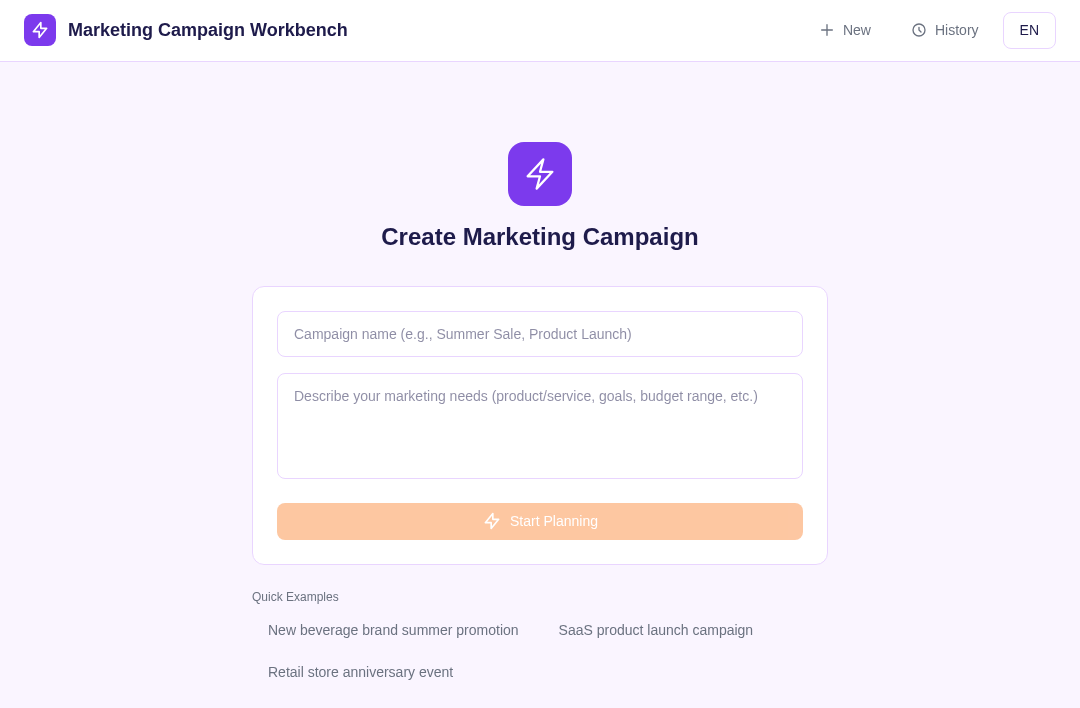
Marketing Campaign Planner
An AI-powered multi-agent system that guides users through end-to-end marketing campaign planning via an interactive, phased conversation.
Framework: CrewAI · Category: Marketing & Strategy · Language: Python

Overview
This template implements a full-stack marketing campaign planning agent built with CrewAI Flows and a React frontend. The system walks users through a structured 5-phase workflow — from market discovery to final content delivery — using specialized AI crews that collaborate to produce brand creatives, channel strategies, and integrated campaign plans. Human-in-the-loop feedback is built into every phase, allowing users to iterate on outputs before advancing.
- Multi-phase orchestration: discovery, planning (brand + channel in parallel), integration, content generation, and finalization
- Human-in-the-loop at every stage via CrewAI's
@human_feedbackdecorator with approve, redo, and rollback actions - Real-time SSE streaming of agent reasoning and structured card outputs
- Session persistence with sticky routing — conversations survive instance restarts via store-backed recovery
- Branch operations (redo brand, redo channel, rollback) handled outside the main flow without restarting
Environment Variables
| Variable | Required | Description |
|---|---|---|
AI_GATEWAY_API_KEY | Yes | Model gateway API key. Use your Makers Models API Key, or any OpenAI-compatible provider key. |
AI_GATEWAY_BASE_URL | Yes | Gateway base URL. For Makers Models, use https://ai-gateway.edgeone.link/v1. |
AI_GATEWAY_MODEL | No | Model ID. Defaults to @makers/deepseek-v4-flash. |
This template follows the OpenAI-compatible standard — point these at Makers Models or any compatible provider.
How to get AI_GATEWAY_API_KEY
- Open the Makers Console
- Sign in and enable Makers
- Go to Makers → Models → API Key and create a key
- Copy it into
AI_GATEWAY_API_KEY
The built-in model is free with rate limits — suitable for development and evaluation. For production workloads, bind your own provider key (BYOK).
Local Development
Prerequisites
- Node.js >= 18
- Python >= 3.11
Commands
# Install frontend dependencies
npm install

# Install Python agent dependencies
pip install -r requirements.txt

# Copy environment variables
cp .env.example .env
# Fill in AI_GATEWAY_API_KEY and AI_GATEWAY_BASE_URL

# Start local development (frontend + agent + cloud functions)
edgeone makers dev
The dev server runs the Vite frontend, the CrewAI agent (agents/stream.py), and cloud functions simultaneously. Visit http://localhost:8088 for the app and http://localhost:8080/agent-metrics for the observability panel.
Project Structure
.
├── agents/                          # CrewAI agent runtime (Python)
│   ├── stream.py                    # POST /stream — main SSE entry point
│   ├── _lib/
│   │   ├── flow.py                  # MarketingCampaignFlow (5-step orchestration)
│   │   ├── persistence.py           # In-process FlowPersistence + store sync
│   │   ├── feedback_provider.py     # Human feedback provider bridge
│   │   ├── llm.py                   # LLM initialization helper
│   │   └── logger.py               # Structured logger
│   └── _crews/
│       ├── agents.yaml              # Shared agent definitions
│       ├── discovery_crew/          # Market analyst — audience & insights Q&A
│       ├── brand_creative_crew/     # Brand strategist — visual & messaging identity
│       ├── channel_planning_crew/   # Channel planner — media mix & budget
│       ├── integration_crew/        # Integration strategist — unified plan
│       └── content_crew/            # Copywriter — final deliverable content
├── cloud-functions/                 # Auxiliary HTTP endpoints (Python)
│   ├── history.py                   # POST /history — load conversation history
│   ├── delete.py                    # POST /delete — delete a conversation
│   └── requirements.txt
├── src/                             # React + TypeScript frontend
│   ├── App.tsx                      # Main app + state management
│   ├── components/
│   │   ├── cards/                   # Structured output cards (brand, channel, etc.)
│   │   ├── views/                   # Phase-specific views (discovery, planning, etc.)
│   │   ├── Header.tsx               # Navigation + locale toggle
│   │   ├── PhaseProgress.tsx        # 5-phase progress indicator
│   │   ├── InputBar.tsx             # Chat input with suggestions
│   │   ├── StartPanel.tsx           # Campaign brief entry
│   │   └── HistoryPanel.tsx         # Session history sidebar
│   ├── hooks/
│   │   ├── useSSE.ts               # SSE stream consumer
│   │   └── useHistory.ts           # Conversation history hook
│   ├── i18n.ts                      # Internationalization (zh/en)
│   ├── types/index.ts               # TypeScript type definitions
│   └── utils/export.ts              # Markdown export utility
├── edgeone.json                     # EdgeOne Makers configuration
├── package.json                     # Frontend dependencies & scripts
├── requirements.txt                 # Python dependencies (crewai[litellm,tools])
└── vite.config.ts                   # Vite + React + TailwindCSS config
How It Works
Session Mode & Sticky Routing
Each conversation is identified by a conversation_id. The frontend sends this via the Makers-Conversation-Id HTTP header on every request. EdgeOne's agent runtime uses sticky routing to pin a conversation to a specific instance, ensuring in-memory Flow state (pause/resume contexts) remains accessible across requests. On cold starts or instance migration, pending state is recovered from the persistent store via load_pending_from_store().
Workflow Phases
The MarketingCampaignFlow class (in agents/_lib/flow.py) orchestrates a 5-step sequential workflow using CrewAI's @start, @listen, and @router decorators:
Discovery → Planning → Integration → Content → Finalize
-
Discovery — The
DiscoveryCrew(market analyst) asks iterative questions (up to 4 rounds) to gather campaign goals, target audience, and market context. Each round pauses via@human_feedbackand resumes with user input. When the analyst detects sufficient information, it emits[READY]to advance. -
Planning — Two crews:
BrandCreativeCrew— generates brand identity, visual direction, and messaging frameworkChannelPlanningCrew— produces media channel mix, budget allocation, and timing strategy
Both outputs are presented as structured cards. Users confirm each independently.
-
Integration — The
IntegrationCrewmerges brand and channel outputs into a unified, coherent campaign strategy document. -
Content — The
ContentCrewgenerates final copywriting deliverables (headlines, body copy, CTAs, social variants) based on the integrated strategy. -
Finalize — Summarizes the complete campaign plan, resolves any remaining conflicts, and marks the flow as finished. Users can export the result as Markdown.
Human-in-the-Loop
Every phase boundary uses CrewAI's @human_feedback decorator with a custom FeedbackProvider. The flow pauses after each crew output, streams results to the frontend as structured card events (card_update), and waits for user action:
- Confirm — accept and advance to the next phase
- Redo — regenerate the current phase output (with comparison view showing old vs. new)
- Rollback — return to a previous phase without losing downstream data
Branch operations (redo_brand, redo_channel, rollback) are intercepted by the handler layer in stream.py and invoke crews directly, bypassing the main flow router.
Tools & Crews
| Crew | Agent Role | Purpose |
|---|---|---|
DiscoveryCrew | Market Analyst | Structured Q&A to extract campaign requirements |
BrandCreativeCrew | Creative Director | Brand positioning, visual identity, messaging |
ChannelPlanningCrew | Channel Planner | Media mix, budget, scheduling |
IntegrationCrew | Chief Strategist | Synthesize all inputs into unified strategy |
ContentCrew | Copywriter | Final deliverable content production |
Key Routes
| Method | Path | Handler | Description |
|---|---|---|---|
| POST | /stream | agents/stream.py | Main agent entry — SSE streaming, kickoff/resume |
| POST | /history | cloud-functions/history.py | Load conversation messages and phase state |
| POST | /delete | cloud-functions/delete.py | Delete a conversation from the store |
Conversation ID Passing
- The frontend sends the
Makers-Conversation-Idheader with every request. - On first contact (no ID), the runtime generates a new
conversation_idand returns it in the SSE stream as aconversation_idevent. - Subsequent requests include this ID to resume the same flow instance.
- Sticky routing ensures the request reaches the same runtime instance holding the in-memory flow state.
- If the instance has restarted,
persistence.pyrecovers the pendingHumanFeedbackPendingcontext fromcontext.store.
Runtime Configuration (edgeone.json)
{
  "buildCommand": "npm run build",
  "outputDirectory": "dist",
  "agents": {
    "framework": "crewai",
    "dir": "agents",
  }
}
| Field | Value | Purpose |
|---|---|---|
agents.framework | crewai | Tells the runtime to load the CrewAI agent handler |
agents.dir | agents | Directory containing stream.py and crew definitions |
buildCommand | npm run build | Vite production build for the frontend |
outputDirectory | dist | Static assets served alongside the agent |
Resources
License
MIT