


Personal Anime Gallery Website
Anime image collection site with Anilist library — one-click deploy for your own gallery.

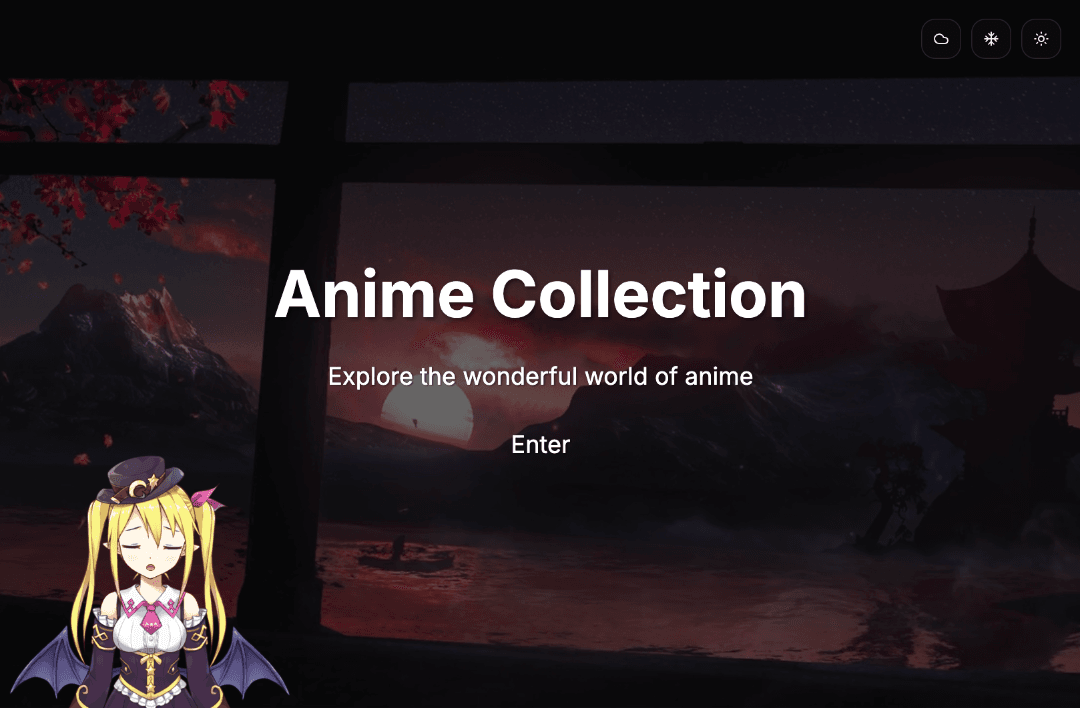
Anime Albums Website Template
A modern, responsive anime album collection website template built with Next.js. This template provides a beautiful and interactive way to showcase your anime collection with features like video backgrounds, weather effects, and Live2D character interactions.
Features
- 🎥 Dynamic video background carousel
- 🌤️ Interactive weather effects (rain, snow, sunny)
- 🎭 Live2D character with interactive responses
- 📱 Fully responsive design
- 🌐 Multi-language support
- 🎨 Dark/Light theme support
- 📂 Category-based gallery layouts
- 🔄 Infinite scroll loading
- 🖼️ Beautiful image modal with navigation
Tech Stack
- Framework: Next.js 14 (App Router)
- Language: TypeScript
- Styling: Tailwind CSS
- UI Components: shadcn/ui
- Animation: Framer Motion
- Live2D: Live2D Widget
- Data Source: AniList GraphQL API
Getting Started
Prerequisites
- Node.js 18.0 or later
- npm or yarn
Installation
- Clone the repository:
git clone https://github.com/tomcomtang/anime-albums-website.git
cd anime-albums-website
- Install dependencies:
yarn install
- Fetch initial anime data:
node scripts/fetch-anilist-data.js
This script will fetch anime data from AniList API and generate configuration files in the public/data directory.
Development
Run the development server:
npm run dev
# or
yarn dev
Open http://localhost:3000 with your browser to see the result.
Building for Production
npm run build
# or
yarn build
If you want to update the anime data every time you deploy, you can modify the build script in package.json:
{
  "scripts": {
    "build": "node scripts/fetch-anilist-data.js && next build"
  }
}
Then, you can start the production server:
npm run start
# or
yarn start
Customization
Anime Data
The website uses JSON configuration files in the public/data directory for anime data. You can customize the content by:
- Modifying the existing JSON files in
public/data - Running the
fetch-anilist-data.jsscript with different parameters - Creating your own JSON files following the same structure
Weather Effects
Weather effects can be customized in:
components/weather/weather-effects.tsxapp/globals.css(weather-related styles)
Project Structure
├── app/                    # Next.js app directory
│   ├── [locale]/          # Internationalization routes
│   ├── gallery/           # Gallery pages
│   └── globals.css        # Global styles
├── components/            # React components
│   ├── gallery/          # Gallery components
│   ├── live2d/           # Live2D components
│   └── weather/          # Weather effect components
├── lib/                   # Utility functions
├── public/               # Static files
│   ├── data/            # Anime data JSON files
│   └── videos/          # Background videos
└── scripts/             # Utility scripts
    └── fetch-anilist-data.js  # Data fetching script
License
This project is licensed under the MIT License. For commercial use, please refer to the licensing terms of Live2D and AniList.
References
- AniList GraphQL API - Anime data source
- Live2D Widget - Live2D integration