


A Production-Grade Agent in a Few Lines of Code
 Chris Chen
The State of Agent Development
Early agents weren't all that different from regular backends — for use cases like customer support, Q&A, or order lookup, an agent was essentially an LLM service with a few business endpoints bolted on. But as model capabilities grew, agents started to actually do things — handling files, editing code, running tests, driving browsers, orchestrating complex systems — gradually taking over work that used to require humans. To bound permissions and control resource usage, sandboxes became a hard requirement.
The intuitive next step is to stuff agent logic and tools into the same sandbox: short call paths, easy state sharing. The architecture is clean, but the moment you hit enterprise-grade scenarios — multi-tenancy, security isolation, cost efficiency — the cracks show. Changing one line of logic forces you to rebuild an image containing the full toolchain; under concurrency every conversation pins a full sandbox copy and resource cost stacks fast; agent logic, credentials, and untrusted code share one environment, expanding the prompt-injection attack surface; state lives inside the sandbox, so destruction means data loss with no easy recovery.
So the industry started exploring more decoupled designs — agent logic, tool sandboxes, and state each running independently, scheduled on their own lifecycles, never bound together.
But once components are decoupled, the call path stretches and environments fragment. In practice you typically run into one of two pain points: either your business code and config have to be written in a platform-specific shape — import the platform SDK, extend the platform base class, declare platform-only config — or you go shopping across a pile of standalone services for compute, state, sandbox, and observability, then wire and adapt them to your framework yourself. Local debugging and end-to-end tracing become especially critical too.
What Makers Chose
Makers doesn't redefine how agents are built — the entry function takes a single context argument. No platform SDK. No proprietary config. Mainstream frameworks like Claude Agent SDK, OpenAI Agents, LangGraph, DeepAgents, and CrewAI just work out of the box; what you write is exactly the code from the framework's own docs. You can also hand-roll your own. The runtime context wraps each framework's native session memory, sandbox primitives, and real-time observability — infrastructure and underlying dependencies are handled by the platform, the agent itself stays with the developer.
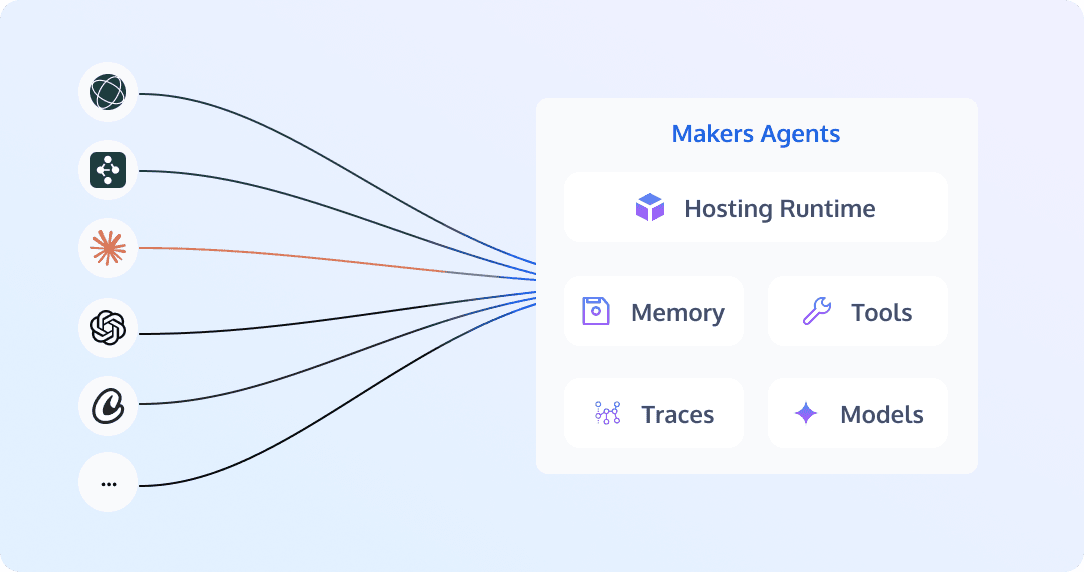
Another distinctive trait: web app and agent share the same stack — one project can hold both your agent and your frontend, deployed once under the same domain.
Get It Running in a Few Lines
Let's pull down an OpenAI Agents template via CLI and get it running:
$ npm install -g edgeone
$ edgeone makers create --template openai-agents-starter-node
$ cd openai-agents-starter-node && edgeone makers dev
  ▸ runtime  http://localhost:8088
  ▸ devtools http://localhost:8088/agent-metrics
Open :8088 and you can chat with the conversation UI bundled in the template.
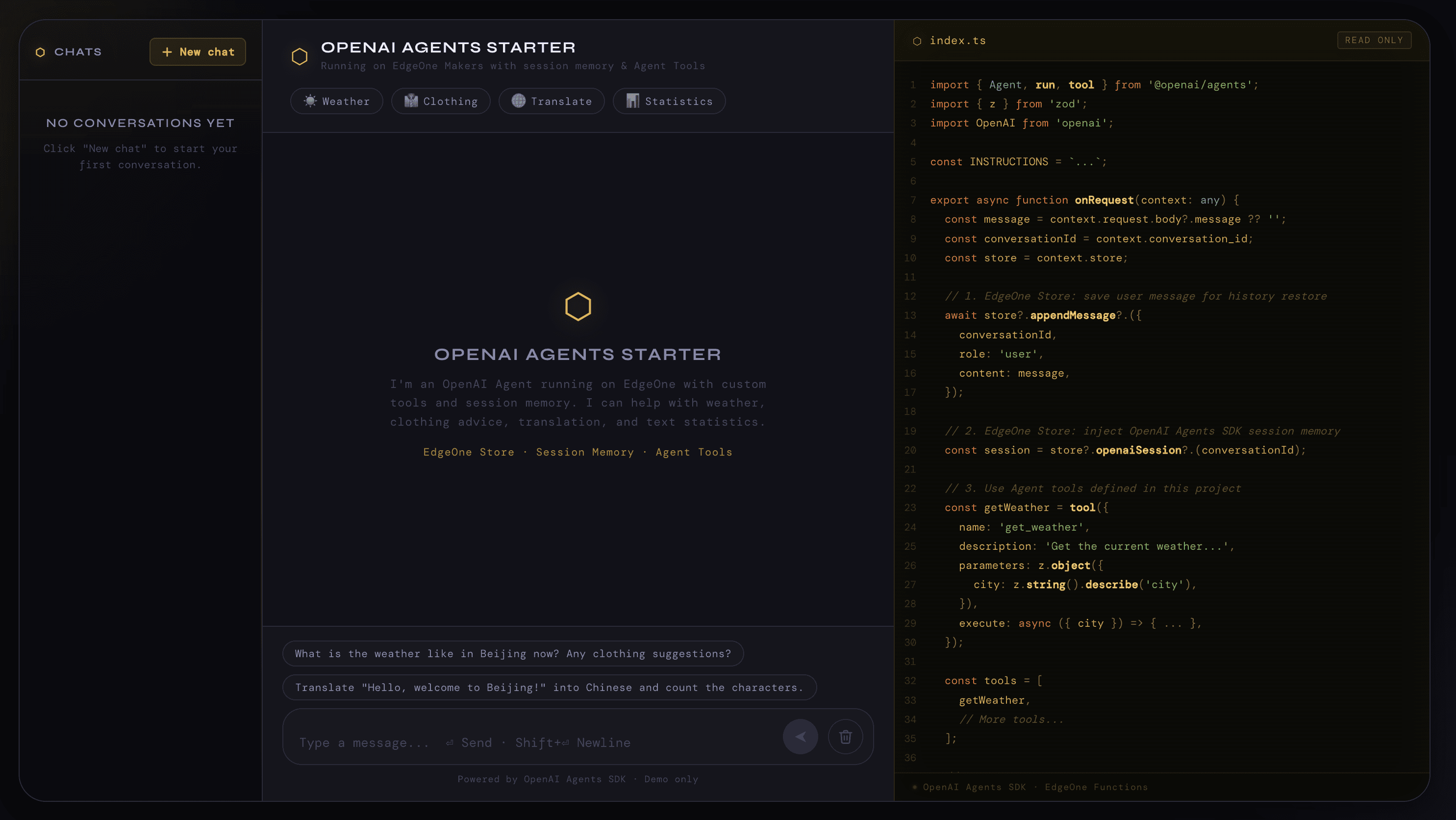
Open :8088/agent-metrics and you'll see that the platform has already registered instrumentors for @openai/agents and the OpenAI SDK at runtime startup — every request's LLM calls, tool calls, and session reads/writes are automatically inserted into a tree and persisted to local SQLite in real time. No extra instrumentation lines required.
Behind Those Few Lines
Inside the template's main handler, there's no platform import at all aside from the injected context:
// agents/chat/index.ts —— the path is auto-mapped to POST /chat
import OpenAI from 'openai'
import { Agent, run, OpenAIChatCompletionsModel } from '@openai/agents'

export async function onRequest(context: any) {
  const { message, conversation_id } = context.request.body
  const { AI_GATEWAY_API_KEY, AI_GATEWAY_BASE_URL } = context.env

  const client = new OpenAI({ apiKey: AI_GATEWAY_API_KEY, baseURL: AI_GATEWAY_BASE_URL })
  const session = context.store.openaiSession(conversation_id)
  const agent = new Agent({
    name: 'Assistant',
    instructions: 'You are a helpful assistant.',
    model: new OpenAIChatCompletionsModel(client, '@makers/hy3-preview'),
    tools: [context.tools.web_search],
  })
  const result = await run(agent, message, { session })
  return Response.json({ reply: result.finalOutput })
}
The three platform capabilities that show up in the handler — model gateway, session storage, and built-in tools — are all attached to context.
The AI_GATEWAY_* entries under context.env are environment variables the platform automatically issues and injects when the project is created. Pass them to the OpenAI SDK and the call goes through the built-in AI gateway — no need to apply for a key separately. The platform comes with a time-limited token allowance for several models, and you can of course swap in your own API key.
context.store.openaiSession(cid) returns a native @openai/agents Session. Pass it to run() and conversation-history reads and writes are taken over — the framework only sees its own interface, and the platform stays transparent to it. Switch to LangGraph, the Claude Agent SDK, or another framework, and context.store exposes that framework's native session-storage type as well, all backed by the platform's Blob storage underneath.
context.tools.* is the platform's built-in tool collection, covering common actions like web search, code interpreter, and browser operations. Drop them straight into the framework's tools. Sandbox-backed tools lazily start a micro-VM on the conversation's first invocation, reuse it afterwards, and reclaim on timeout — they don't pre-warm with the handler, and they don't get rebuilt on every cold start.
When you need custom tools, context.sandbox exposes atomic sandbox interfaces that can be composed freely:
const runPython = tool({
  name: 'run_python',
  parameters: z.object({ code: z.string() }),
  execute: async ({ code }) => {
    const sb = await context.sandbox()       // lazy load, reused across the conversation
    return await sb.codeInterpreter.run(code)
  },
})
Ship to Production
Once it runs locally, edgeone makers deploy ships it in one line. After deploy, you see the same spans and the same instrumentation. Any frontend code in the project ships alongside it under the same domain.
Platform resource scheduling routes requests within the same conversation_id to the same agent instance and tool sandbox, creating on demand and reclaiming on idle — entirely transparent to your code.
That's it: a production-ready agent with web tools, session memory, and built-in observability. What you actually wrote is still just the few lines straight out of the @openai/agents docs.
We also ship templates for LangGraph, Claude Agent SDK, CrewAI, DeepAgents, and others, plus minimal Python and JavaScript samples that don't depend on any framework. Aside from pulling them locally with edgeone makers create, you can deploy any template into your own account with one click from the template gallery.